
When you have a Component and Cladding (C&C) on a tall building, you may want to specify the elevation of that C&C item. Often we get the question of where that elevation can be specified?
Most of the C&C Methods do NOT rely on the elevation, and so there is no option; however, there are a couple of methods that do take elevation for C&C elements on the wall into consideration.
When using ASCE 7-22, the Ch 30 Pt2 and 2a [ASCE 7-16 Ch 30 Pt 3 and 3a] are the only C&C calculation methods that do allow the user to specify an elevation for each entry. As a reminder, these are the requirements to use Ch 30 Part 2:
- Building Height > 60 ft
- Roof Type = Flat, Gabled, Hopped, Monoslope, Mansard, Arched, Domed
- Building Type = Enclosed, Partially Enclosed or Partially Open
ASCE 7-22 Ch 30 Pt 2a is a special situation for Part 2 where the building height is between 60 and 90 ft and there are some other criteria met.
When C&C Ch 30 Pt 2 or 2a is selected then the C&C entries will reveal a new column on the wall elements.
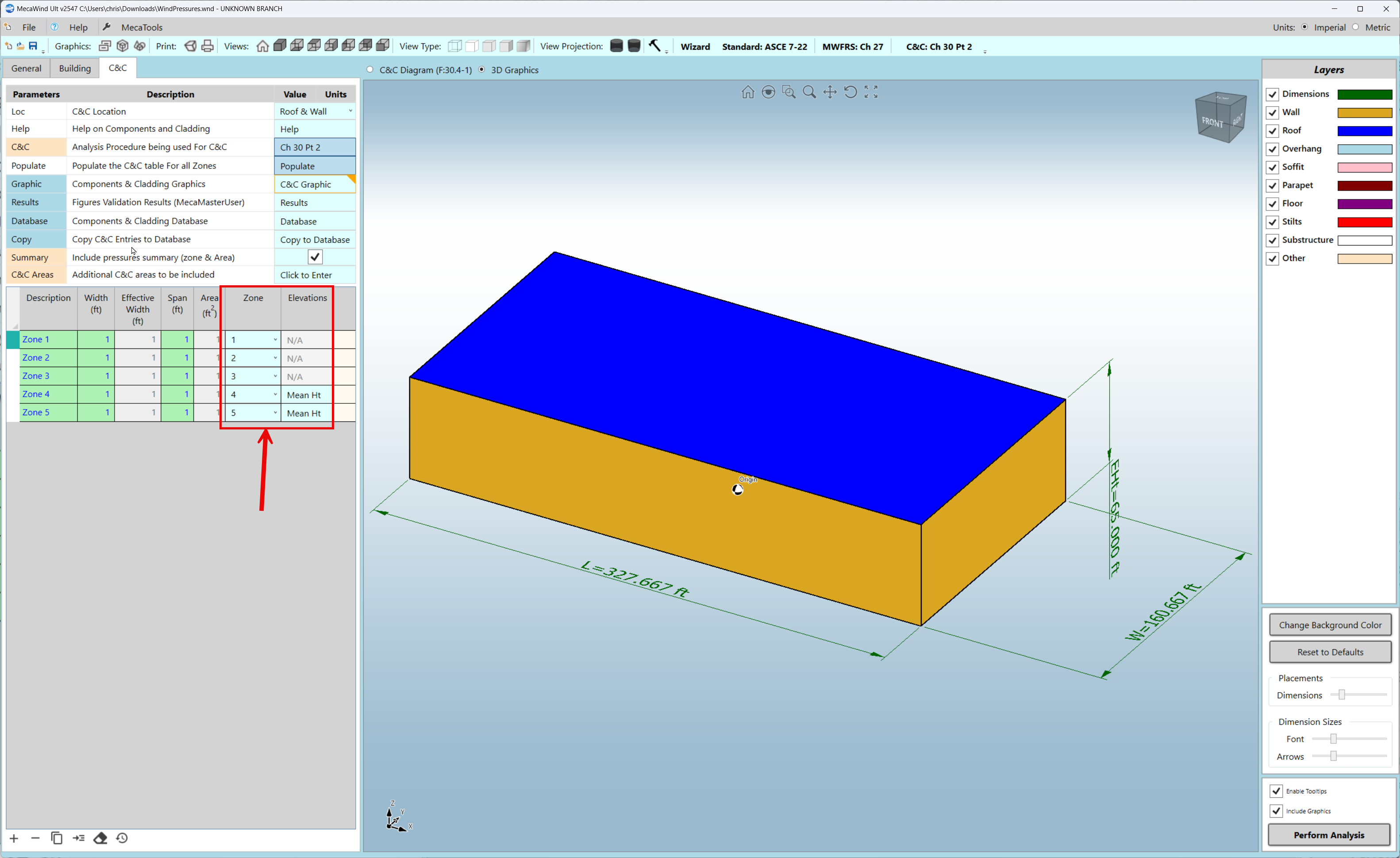
For each wall element you may then specify the following:
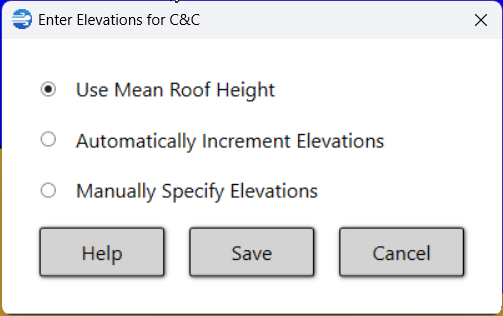
Use Mean Roof Height:
This is the most conservative option, where it just uses the Mean Roof Height regardless of the elevation for the C&C entry.
Automatically Increment Elevations:
If you had a window that was every 10 ft along the height of the building, then this option would allow you to quickly get an entry every 10 ft along the building for that window.
Manually Specify Elevations
This is what you would select if you have one or more elevations that you want to consider.